

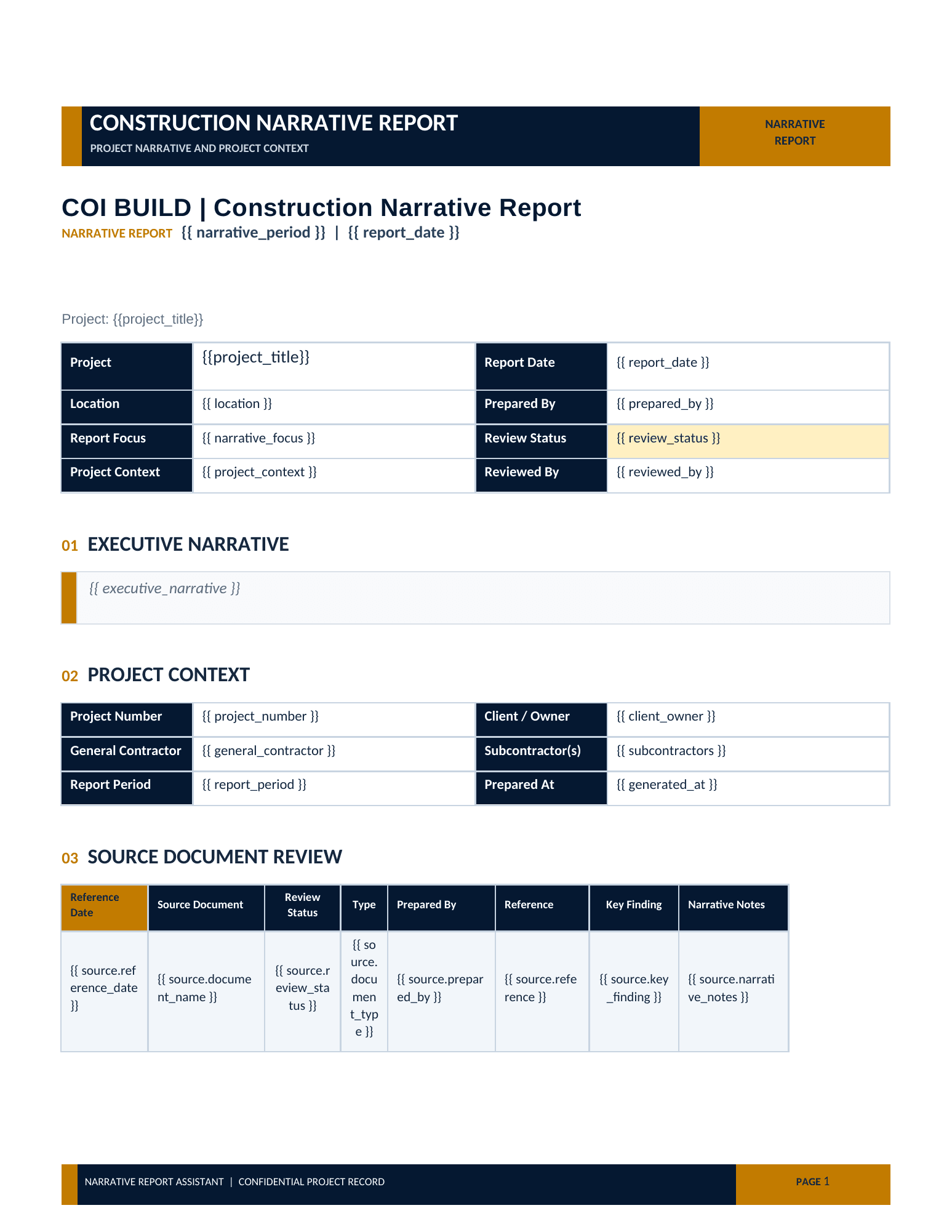
Existing report format
A project or company .docx template provides the reference structure for the report.
Narrative reporting / Live product
Construction Narrative Report helps office and project teams organize selected project information into a structured narrative report that follows an established format. The final review stays with the construction professional.
Start with the live narrative workflow Eligible teams can begin through the COI Build client access flow.From inputs to draft
This workflow belongs to Construction Narrative Report: it brings selected project files and an established format together in a reviewable Word draft.
See the workflow
These screens and the downloadable COI Build sample reflect the current React Narrative Report Studio workflow: upload selected sources, inspect their mapping, review the live Word draft, and export the editable report.
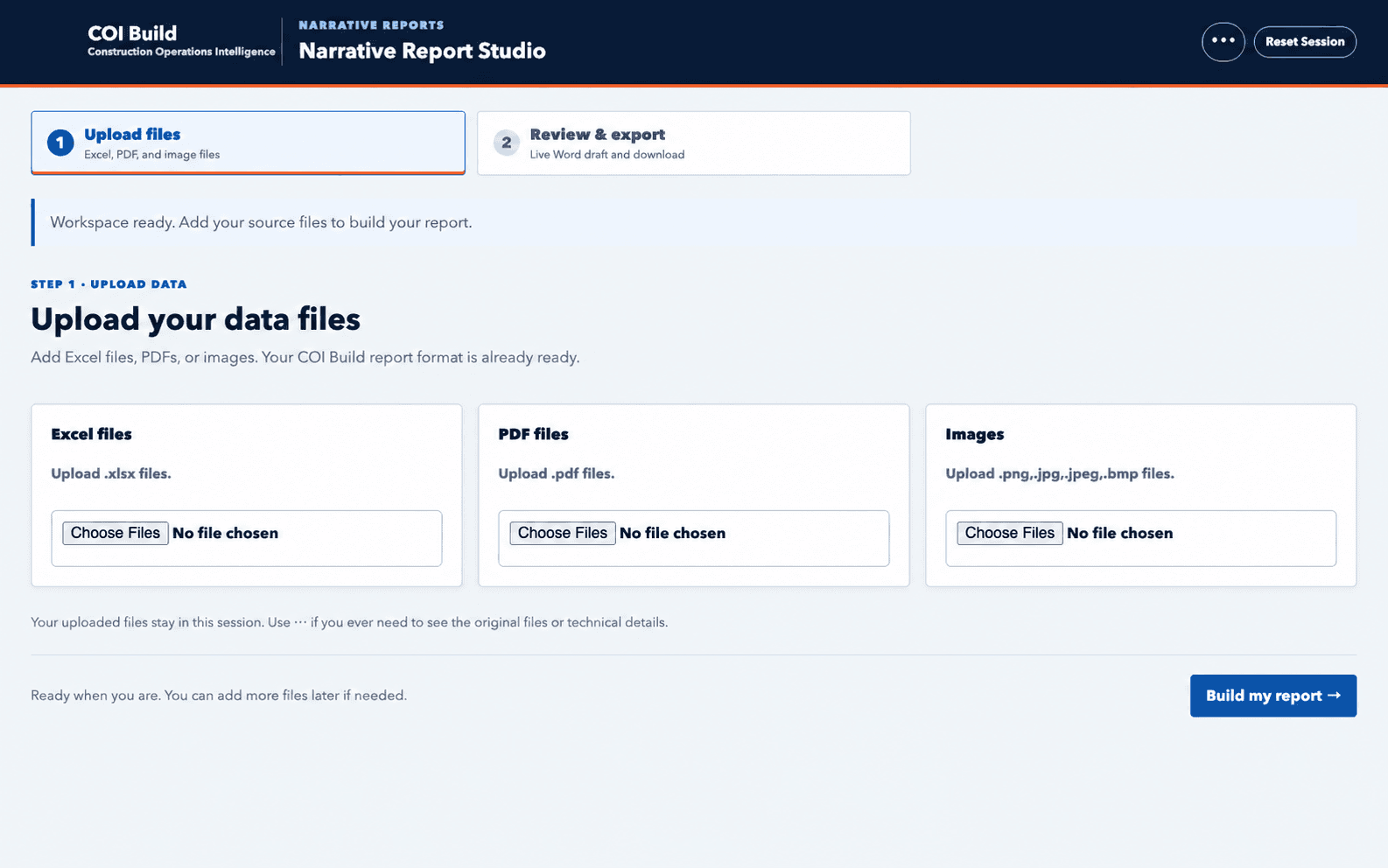
The fixed COI Build report format is ready before the project team builds its live Word draft from the selected source files.
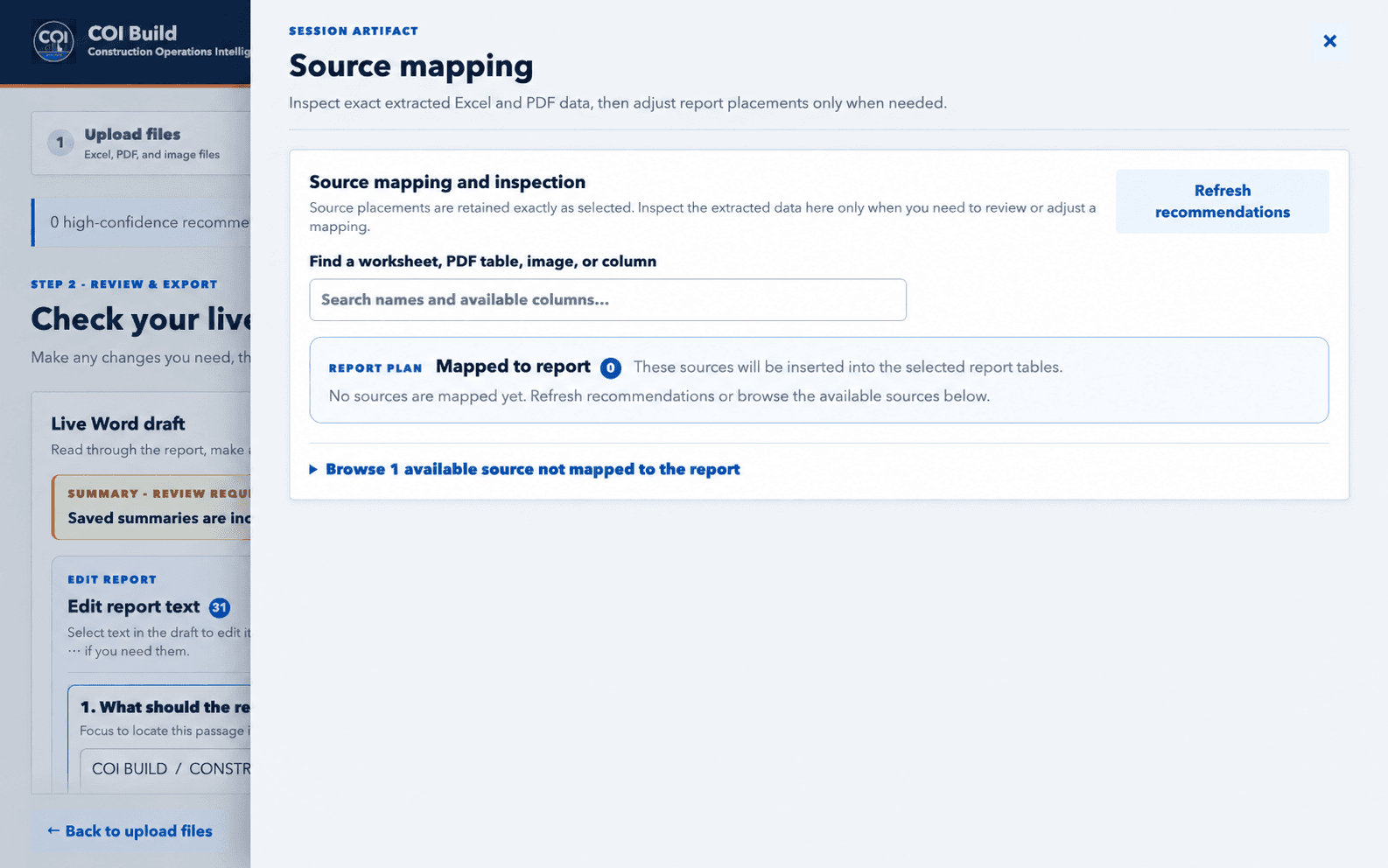
Open the Source mapping artifact to inspect exact extracted Excel and PDF data, then adjust report placements only when needed.
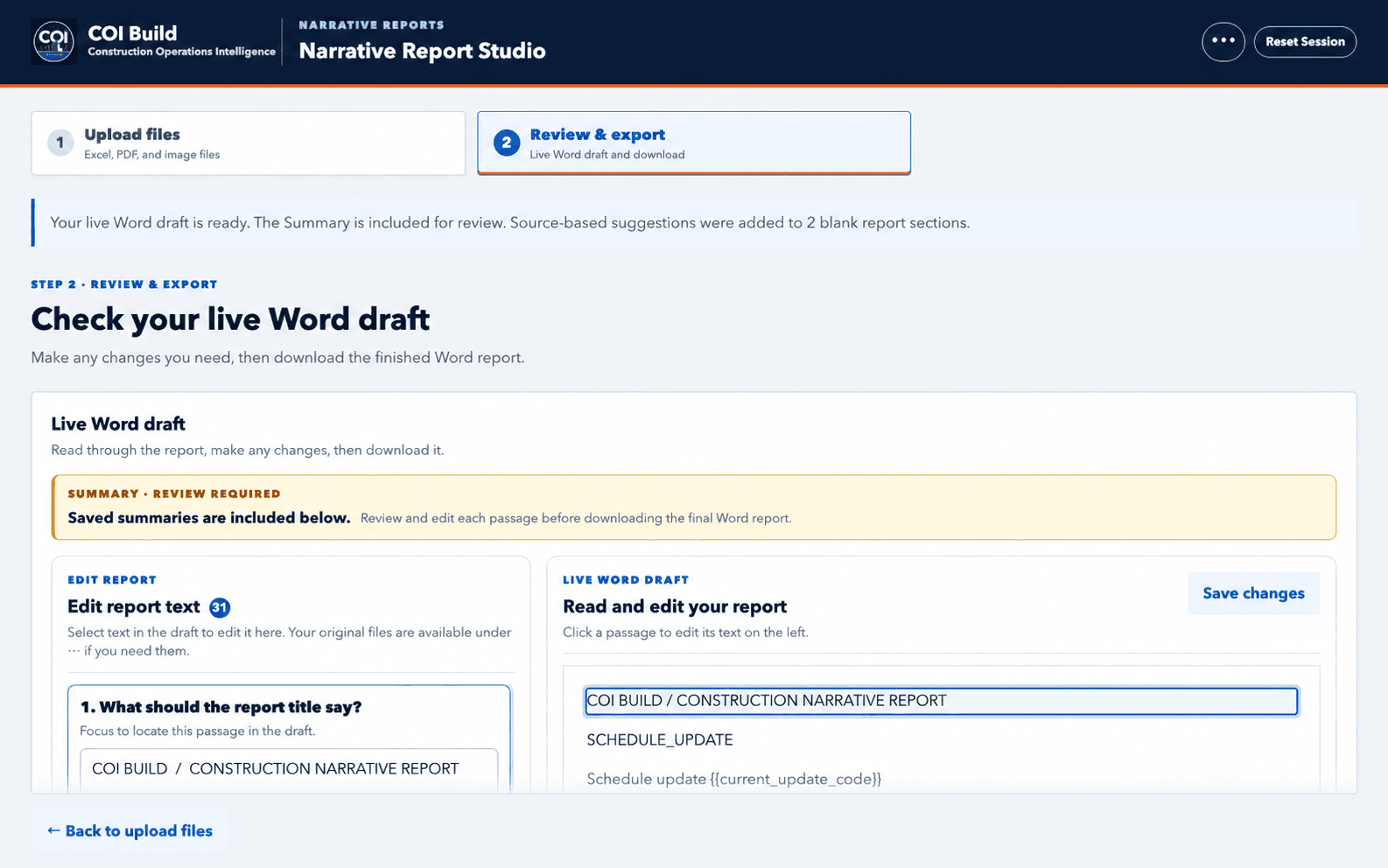
In Review & export, read and edit the live Word draft before issuing the finished report.
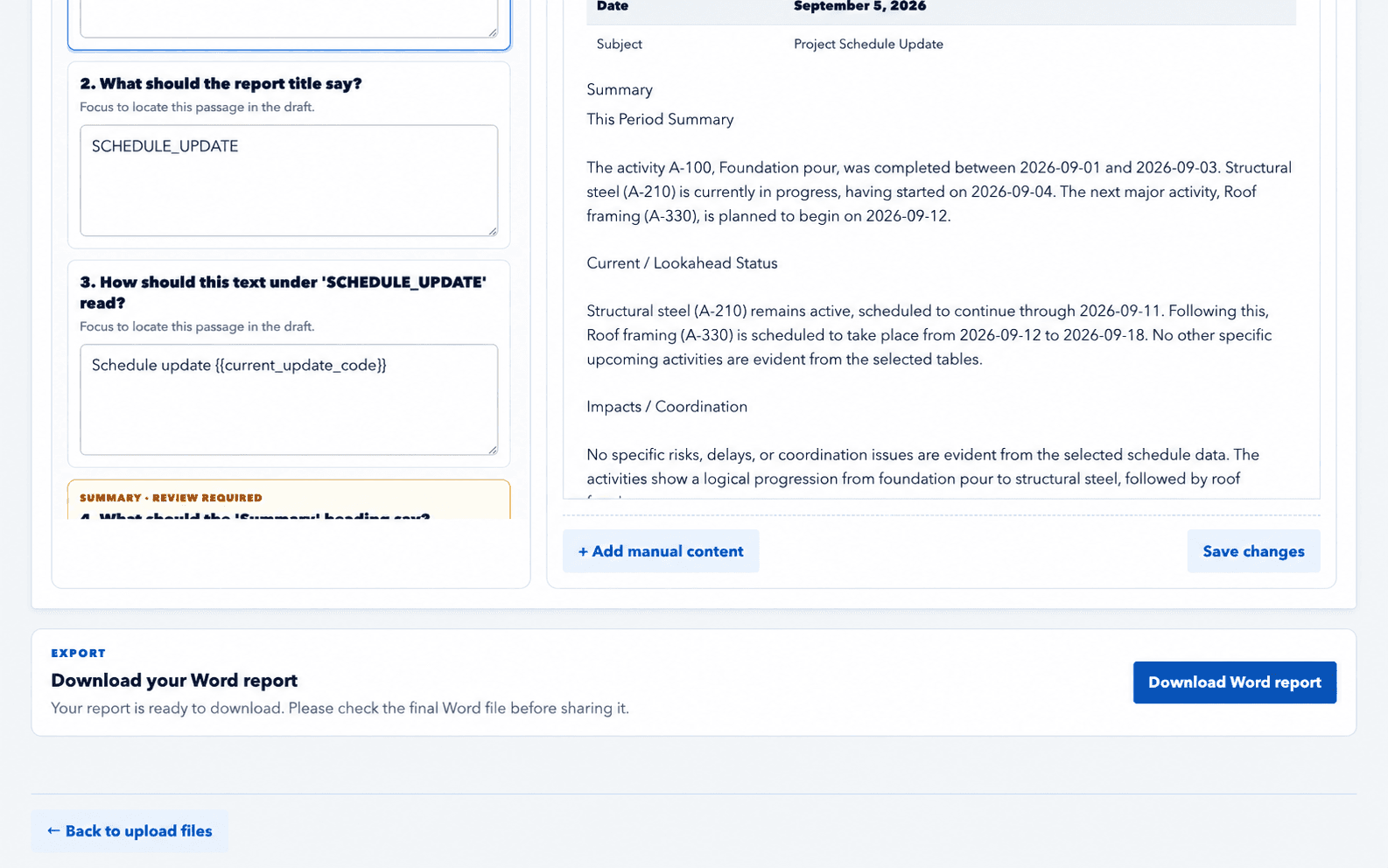
When review is complete, download the editable Word report from the same React workspace.
20 schedule workbooks · COI Build template
Schedule tables map to matching report sections.
11,892 matching cells · 0 mismatches
182 / 182 generated Word tables passed cell-by-cell checks
EDITABLE NARRATIVE WORD TEMPLATE
Dashboard screens are illustrative.
The reporting problem
Progress reports often draw from a mix of Word documents, spreadsheets, PDF tables, images, and a reporting template that has evolved with the project. Rebuilding that structure each reporting cycle takes time and makes consistency harder to protect.
COI Build helps assemble the applicable material into the familiar report structure so reviewers can spend more time checking the substance of the report.
Information in
COI Build works from selected reporting inputs. Teams decide what is applicable to the reporting period and retain control of the project record.
A project or company .docx template provides the reference structure for the report.
The current application accepts supported Excel spreadsheets and PDF tables for selected report content.
Teams can include supported images and manual report content when it belongs in the reporting record.
Workflow
Start from the approved Word template or a continuation of a prior report.
Choose the applicable project tables, files, images, and manual content for the report sections.
Use content and anchor previews to check the selected material and placement before generating the report.
What the team receives
COI Build generates an editable Word document based on the selected template and report setup. It does not make the report final: the project team can revise wording, verify facts, and complete its normal issue process.
Human review
Construction professionals remain responsible for source selection, factual accuracy, project interpretation, and final report approval. COI Build assists with report assembly; it does not replace professional judgment.
Who it is for
Built for project engineers, project managers, office reporting teams, and construction professionals responsible for recurring narrative reports.
About COI BuildExisting workflow
The product is designed to work from an established .docx report format rather than requiring teams to abandon a familiar client or company template.
Frequently asked questions
Project files are submitted within the authenticated product workflow. The public product page does not expose customer reports, uploads, or project records. Any public sample report uses fictional or redacted names, contact details, and project-identifying information.
It produces an editable Word report using the selected report setup and Word template.
Yes. The current workflow uses a .docx template as the reference structure for the report.
No. The construction professional reviews the selected material, generated content, facts, and final wording before issuing a report.