

Site observations and notes
Record day-to-day construction activity and observations from the field.
Field reporting / Demo access by request
Construction Field Report is a demo-ready COI Build workflow for organizing site activity, observations, photos, notes, audio, and daily updates into one readable project record. It is not currently presented as a generally available product.
Request field-report demo access Demo-ready access is available by request.From evidence to PDF
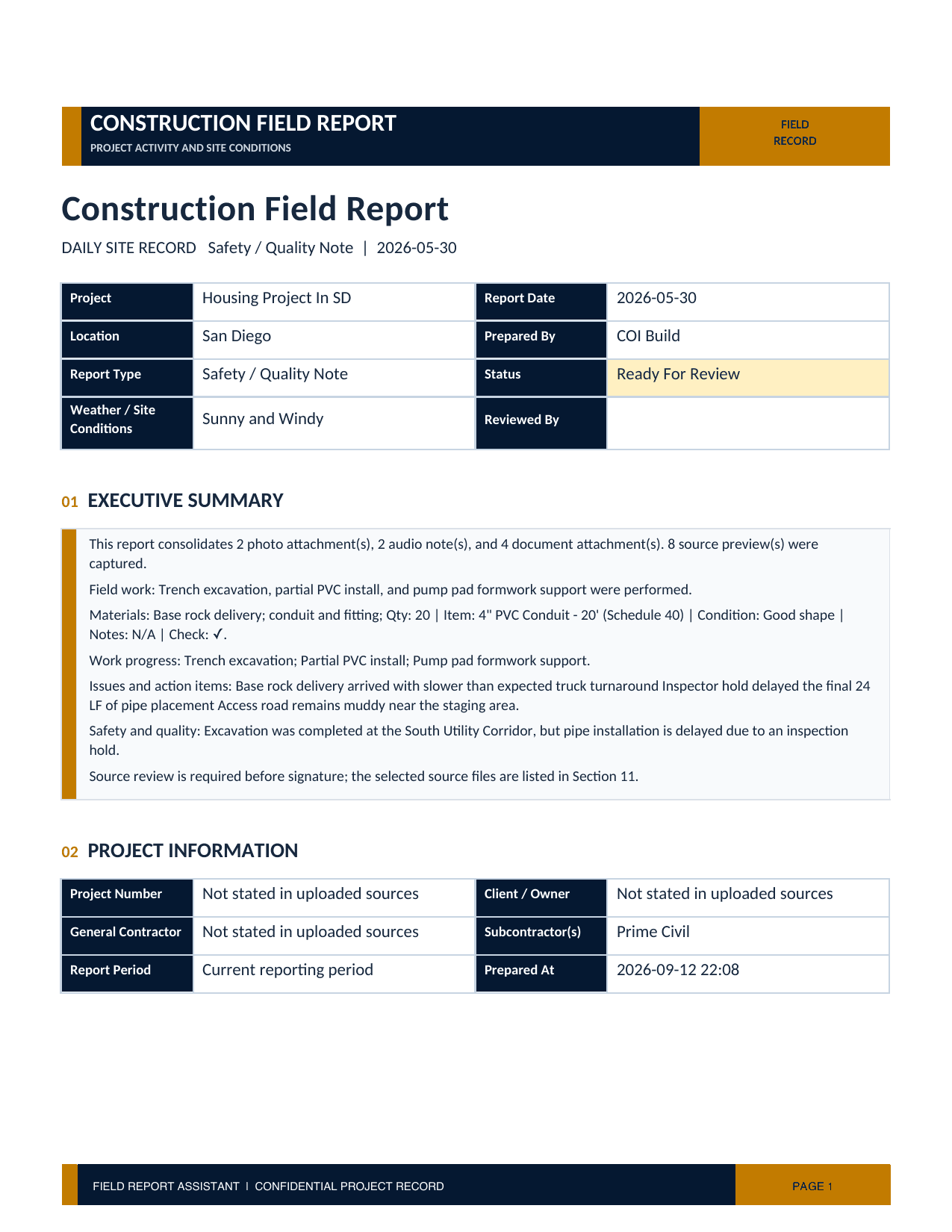
Construction Field Report brings private notes, photos, audio, spreadsheets, and PDFs into one review workflow before generating the final report.
See the field workflow
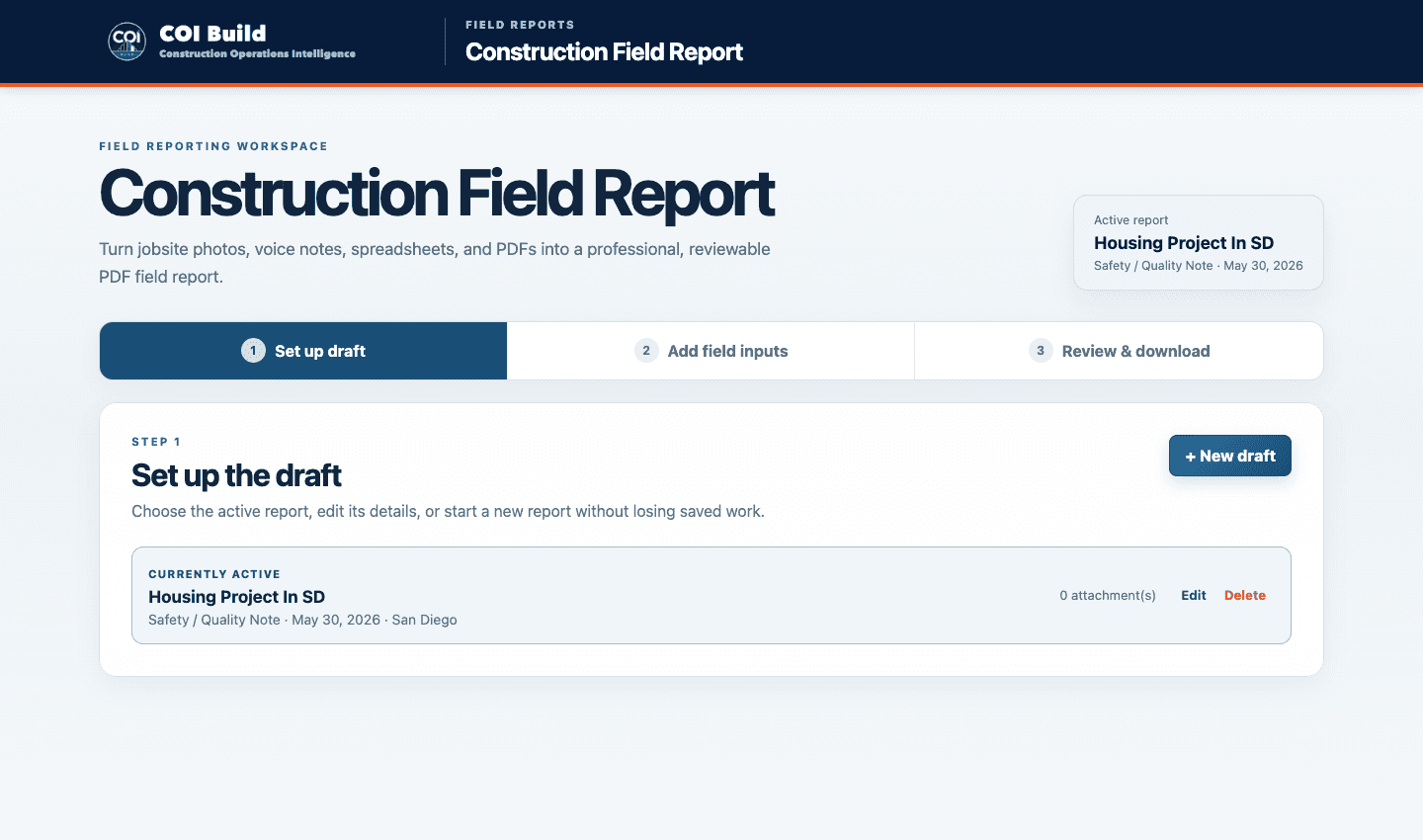
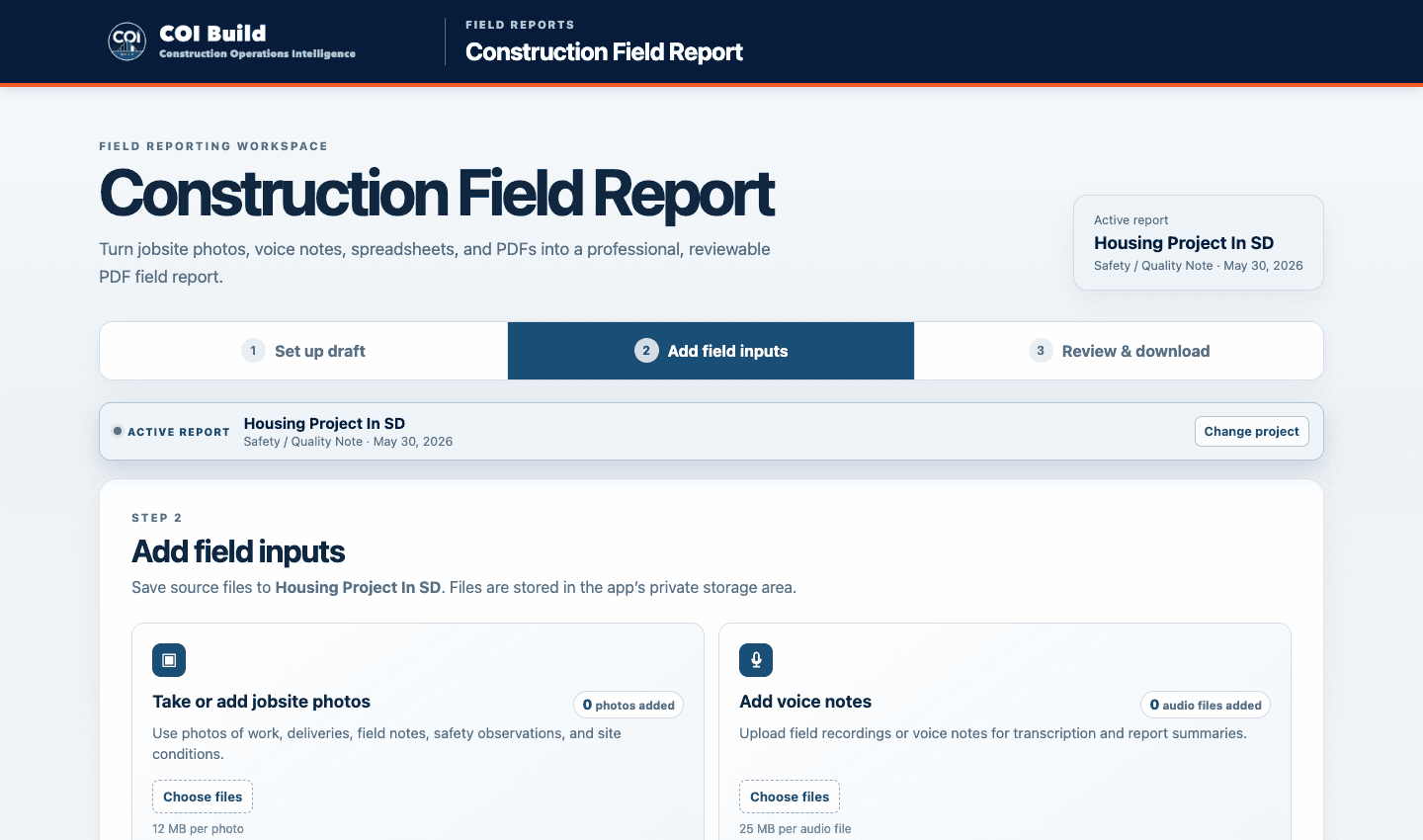
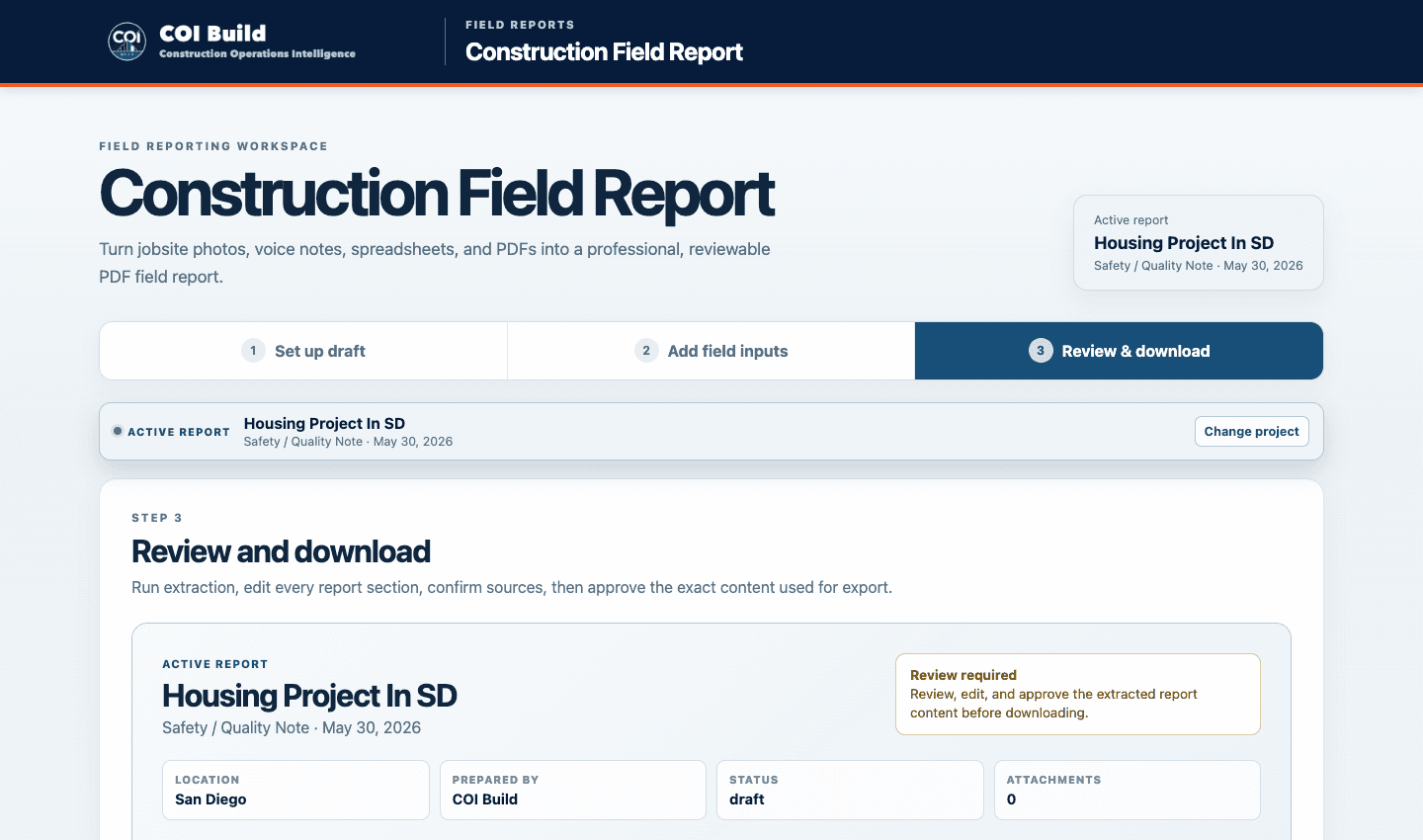
These are desktop captures from an isolated demo workspace: set up the report, add private field files, and review the required checks before downloading the PDF.
A captured desktop view of the live workspace starts with the active report and its saved project details.
This is the actual upload screen, including the product’s own photo, audio, spreadsheet, and PDF controls.
The real review screen keeps readiness checks and the download gate visible before the report is released.
Validation evidence
Private inputs
Automated checks
20/20PDF record
Current automated regression results for the Field Report workflow.
The views use captures of the current desktop interface. Final review remains with the project team.
The reporting problem
Daily site information is often captured across notes, photos, voice updates, and follow-up messages. When that material is not organized consistently, the office and field teams spend time reconstructing what happened and when.
COI Build is designed to keep those updates together in a readable field report so the reporting record is easier to review and carry forward.
Information in
COI Build works from selected reporting inputs. Teams decide what is applicable to the reporting period and retain control of the project record.
Record day-to-day construction activity and observations from the field.
Add relevant site images alongside the related daily information.
Capture spoken updates and other field information from a phone or computer.
Workflow
Bring the notes, images, audio, and updates from the workday into one reporting workflow.
Keep related field information together in a consistent, readable format.
Project staff review the report before it becomes part of the project record.
What the team receives
The product is intended to organize daily site information into one readable field report. It does not replace the project team's responsibility to confirm observations, context, and the final record.
Human review
Field staff and project leaders remain responsible for the accuracy, completeness, and meaning of the field record. COI Build helps organize reporting inputs; it does not replace a superintendent, project manager, or professional judgment.
Who it is for
Designed for site supervisors, superintendents, project engineers, and project managers who need a clearer daily project record.
About COI BuildExisting workflow
The workflow focuses on bringing the notes, images, audio, and daily updates teams already collect into a report that is easier to scan and review.
Frequently asked questions
Demo access is requested through COI Build. Customer field records, photos, audio, and project information remain outside this public page. Any public sample report uses fictional or redacted names, contact details, and project-identifying information.
No. It is currently demo-ready, and demo access is available by request.
The public product description supports site notes, observations, photos, audio, and daily updates from a phone or computer.
No. The project team reviews the record and remains responsible for its accuracy and final use.